Help
Crawler Settings General
Airgentic Help
The General tab controls the overall behaviour of the web crawler: whether it runs, how it identifies itself, and how politely it treats target websites. → Open Crawler Settings (General tab)
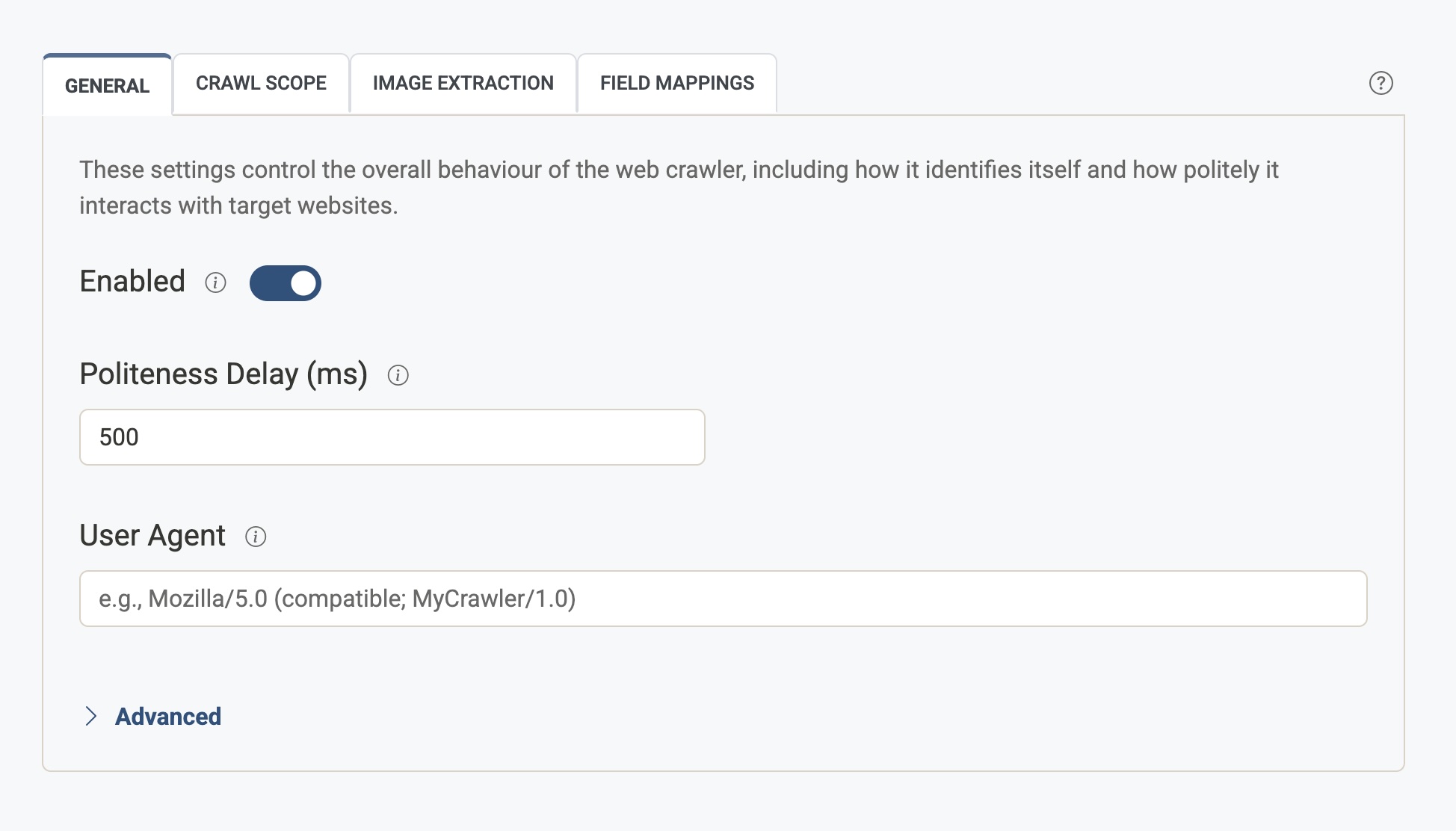
Enabled
Enable or disable this data source. When disabled, the web crawler will not run for this service. Use this to pause crawling without losing your other settings.
Politeness Delay (ms)
The number of milliseconds the crawler waits between page requests to the same domain. This helps prevent overloading servers and reduces the risk of being rate-limited or blocked.
- Default is typically 1000 (1 second).
- Increase for very small or fragile sites; you can decrease for large, robust sites if you want faster crawls.
User Agent
The User-Agent string the crawler sends with each HTTP request. Many servers log or restrict access by user agent.
- Leave blank to use the default crawler user agent.
- Set a custom value (e.g.
Mozilla/5.0 (compatible; MyCrawler/1.0)) if the site or your CDN expects a specific identity (for example, an “Airgentic” user agent that you have allowlisted).
Advanced
Convert HTTP to HTTPS
When enabled, all http:// URLs are automatically converted to https:// before crawling. This ensures the crawler uses secure connections when the site supports them, and avoids duplicate content between HTTP and HTTPS versions.
← Back to Crawler settings overview
Link Rewrites
Link rewrites send visitors to a different address than the one that was crawled. The crawler still reads the original page, but search results and the assistant's citations link to the rewritten address. Use them when the crawled address is not the one you want people to land on: a file served from a CDN that has a friendlier public page, or content that your website shows inside another page.
Each rule has two parts:
- Match is a regular expression tried against the crawled address. The first rule that matches is used, and pages that match no rule keep their own address.
- Link is the address to send visitors to.
{0}is the whole crawled address, and{1},{2}or{name}are the groups captured by the match. Add|urlencode,|base64or|squiz_remote_contentto encode a value, for example{0|urlencode}. Write{{and}}for literal braces.
For example, the match ^https://cdn\.example\.com/(.*)$ with the link https://www.example.com/{1} turns https://cdn.example.com/files/report.pdf into https://www.example.com/files/report.pdf.
Use Try an address to see which rule matches a crawled address and the link it produces before you save. Saving updates the index so that existing pages pick up the new links. If your official links come from a search field instead, this section is read-only and you change them in Search Fields.